ChatGPT, Claude, Perplexity, Gemini — AI is reading the web more than ever. But regular analytics can’t answer the questions that matter once you know that:
- Which AI bots are actually visiting?
- Which pages are they reading?
- When, and how often?
- What’s read by humans but ignored by AI — and vice versa?
EdgeShaping Lite is a free WordPress plugin built to answer exactly that. It detects AI bot visits to your site and shows you which bot read which page.
This guide covers:
- What EdgeShaping Lite does
- Installing it
- Reading the dashboard and access log
- The AHTG and AHQG matrices, and the difference between them
- Inferred Path and Dark Pages
- Performance, data retention, and caching caveats
- Where to look first
What EdgeShaping Lite is
EdgeShaping Lite is a WordPress plugin for observing AI bot traffic. It answers one question:
Which AI bot read which page on your site, and when?
Once installed, it logs AI bot visits — the traffic GA4 structurally can’t see — directly inside WordPress, viewable from your admin dashboard. For each visit it records:
- Bot name
- URL visited
- Timestamp
- User agent
It isn’t a general analytics tool tracking all human traffic. It’s purpose-built to observe one thing: AI bots.
What you can do with it
Detect AI bot visits
Using a maintained dictionary of known AI crawlers, EdgeShaping Lite flags visits from the ChatGPT, Claude, Perplexity, Gemini families and others, and shows you which pages they’re reading.
See which pages AI is reading
The dashboard shows bot visit frequency and a ranking of the pages AI reads most. That surfaces patterns like:
- One article getting disproportionate AI attention
- Pages with low human search traffic but frequent bot visits
- Important service pages AI never seems to reach
In the AI-search era, “which pages AI reads” is as worth watching as “which pages humans view.”
Check the access log
The Access Log screen lists every AI bot visit, with:
- Timestamp
- Bot name
- URL
- User agent
It supports date filtering (last 7 days, last 30 days, this month, last month, custom range) and CSV export, so you can pull the data into your own reporting or reconcile it against other tools.
Compare AI and human reach with the AHTG Matrix
The latest version adds the AHTG Matrix — a comparison of AI bot visits against human pageviews tracked inside WordPress.
Unlike the AHQG Matrix below, it needs no Google Search Console connection. Activate the plugin, and you can immediately see where AI and human reach diverge.
Compare against search clicks with the AHQG Matrix
Connect Google Search Console and you unlock the AHQG Matrix, which compares AI bot visits against Search Console click data.
Where AHTG plots “AI visits × human pageviews inside WordPress,” AHQG plots “AI visits × Google Search clicks.” Use AHQG when you specifically want to see the gap against search traffic.
Installing EdgeShaping Lite
Install it from the WordPress admin dashboard.
1. Add the plugin
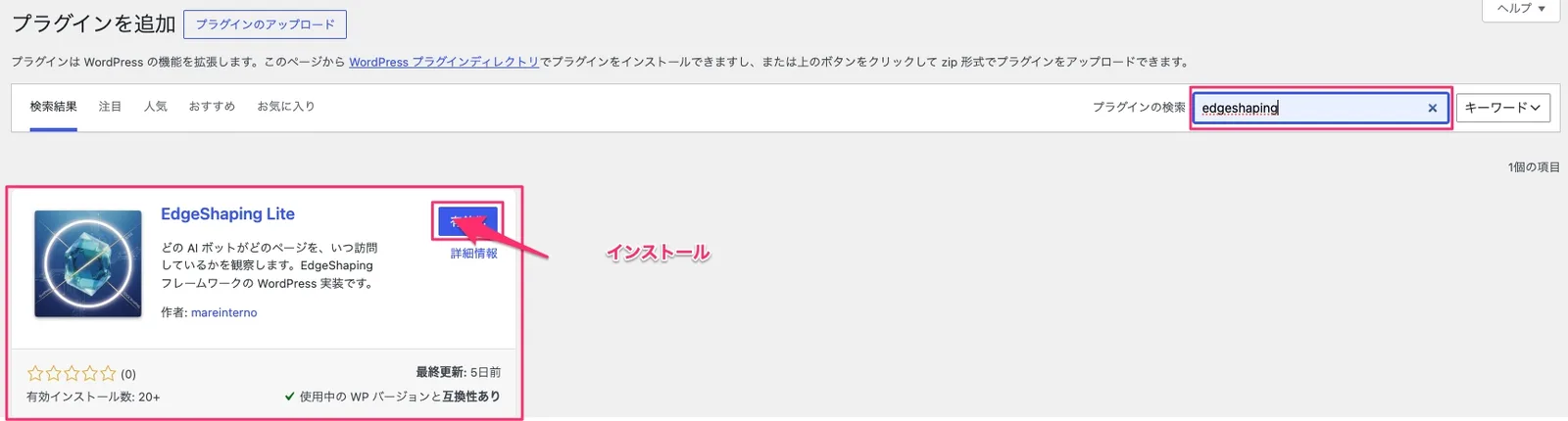
In your WordPress admin, go to Plugins → Add New Plugin, and search for “EdgeShaping Lite.”
2. Install it
Once it appears in the results, click Install Now.
3. Activate it
After installation finishes, click Activate. Observation starts immediately.
4. Check the admin menu
A new EdgeShaping Lite menu appears in your WordPress sidebar, with:
- Dashboard
- Access Log
- AHTG Matrix
- AHQG Matrix (once GSC is connected)
- Settings
Without a Google Search Console connection, AHQG Matrix stays unavailable — start with Dashboard, Access Log, and AHTG Matrix instead.
Reading the dashboard
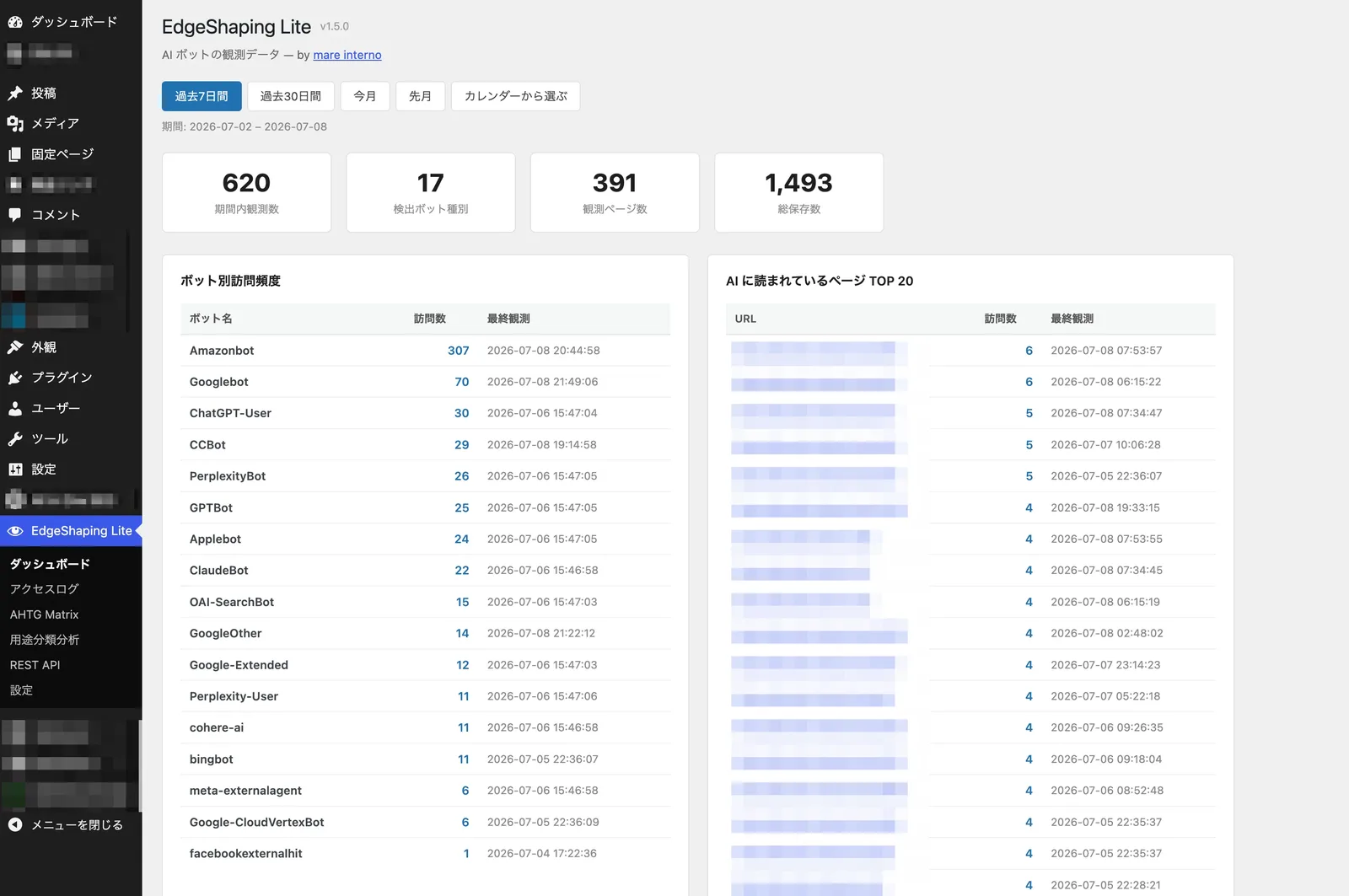
The dashboard gives you an overview of AI bot activity. Four things to check:
Visits in range — total AI bot visits recorded for the selected period. Start here to confirm AI bots are visiting your site at all.
Bot types detected — how many distinct AI bots visited, so you know how many different systems are reading you.
Pages observed — how many pages AI bots have read, a rough signal of whether they’re reading a handful of pages or the whole site.
Visit frequency by bot — a ranking of which AI bots visit most.
Top 20 pages read by AI — the pages AI bots read most. This is the one worth watching closely: pages that look unremarkable in regular analytics can still be heavily read by AI, which suggests they’re being used as source material for AI-generated answers.
Reading the access log
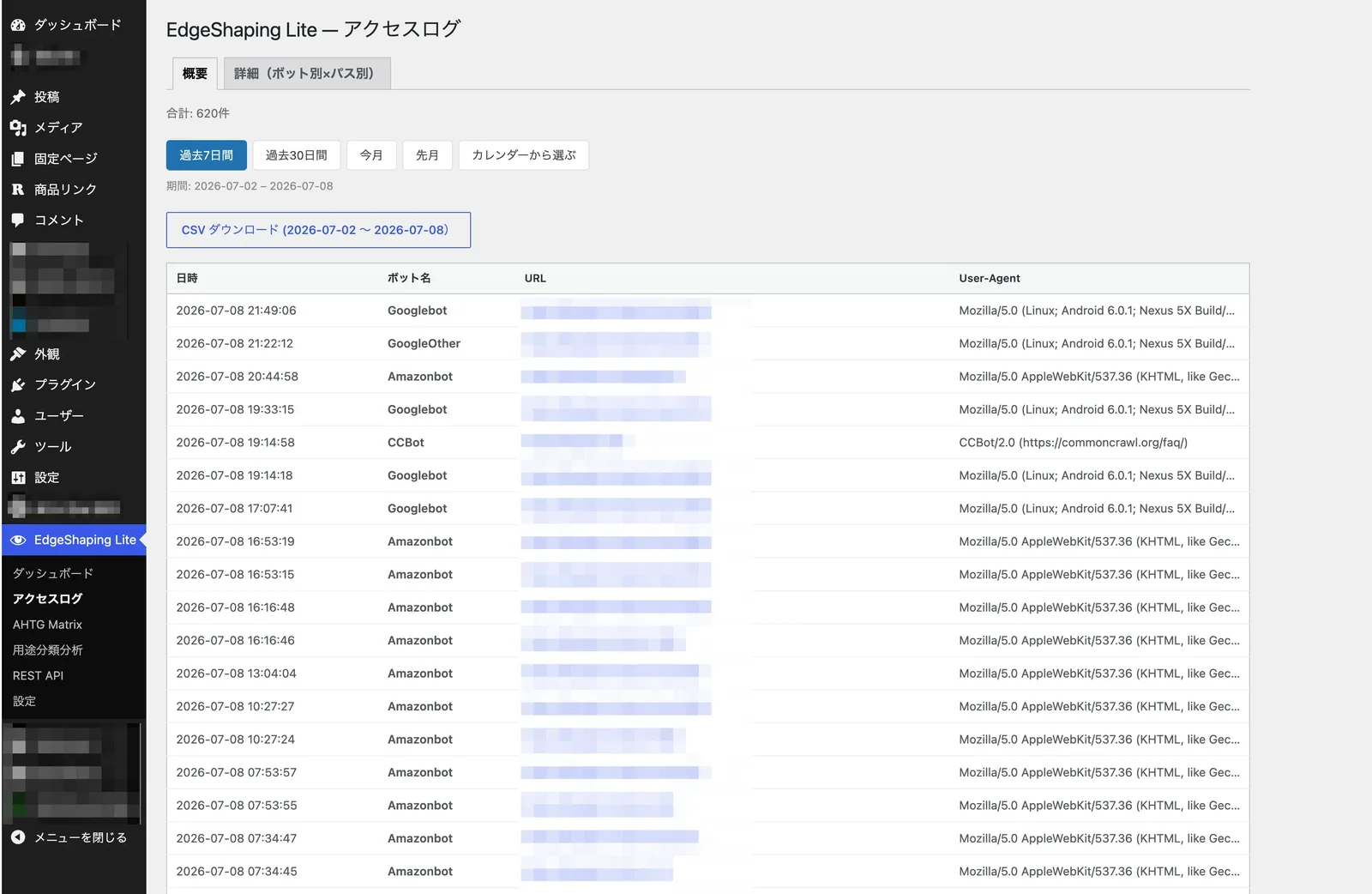
Access Log lists every AI bot visit — timestamp, bot name, URL, user agent. Useful for questions like:
- When did a specific bot last visit?
- Which page did it read?
- Is it revisiting the same page repeatedly?
- Has a newly published post been picked up yet?
Filter by date range (7 days, 30 days, this month, last month, or custom), and export the filtered view as CSV — handy for monthly reports or cross-checking against Search Console or GA4.
Using the AHTG Matrix (new in v1.5)
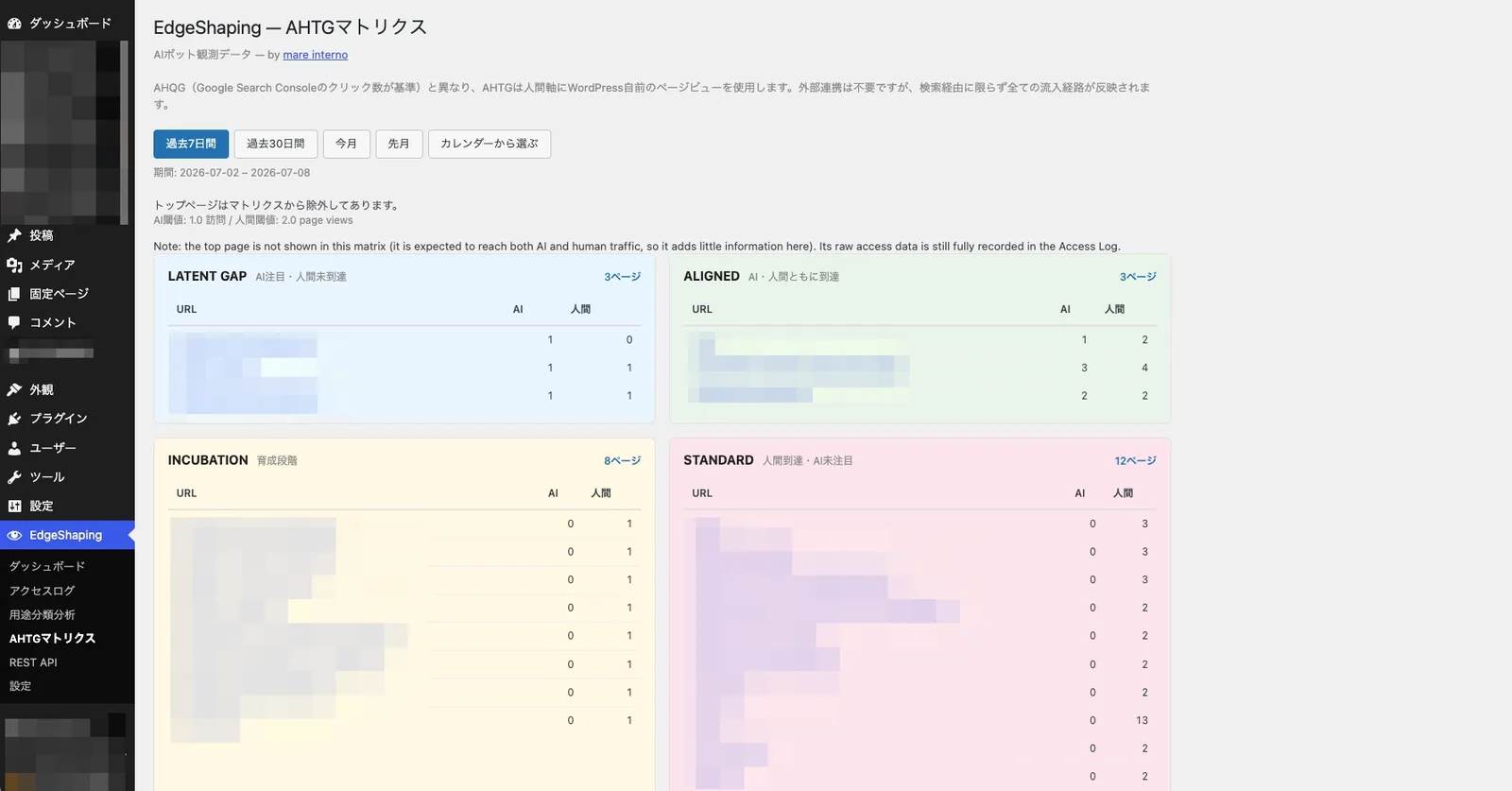
The AHTG Matrix compares AI bot visits against human pageviews tracked inside WordPress. No Google Search Console connection required.
Once EdgeShaping Lite is active, it also records lightweight human pageview data on the WordPress side, so it can plot both series against each other. Pageviews are filtered for known bots, so the numbers land close to what GA4 would report.
Every page lands in one of four quadrants:
LATENT GAP — AI is reading it; humans haven’t caught up yet. These pages may reflect demand that’s already showing up in AI queries but hasn’t reached your human pageviews. Worth watching for content ideas and emerging demand.
ALIGNED — Both AI and humans are reading it. These are your highest-importance pages by reach; prioritize accuracy, freshness, internal linking, and CTAs here.
INCUBATION — Neither AI nor humans are reaching it much yet. Often newly published pages, or ones still finding their footing. If a page sits here for a long time, it’s worth checking for content or search-intent mismatches.
STANDARD — Humans are reading it; AI isn’t, or not yet. Traditional SEO or social traffic is working, but AI bots either haven’t found the page or aren’t referencing it. If an important page lands here, check whether your site is actually easy for AI to read — sites that render content dynamically can be hard for AI to parse.
AHTG vs. AHQG: what’s the difference
Both matrices compare AI bot visits against a human-side metric — they just use a different one.
AHTG compares AI bot visits against human pageviews recorded inside WordPress — AI reach vs. human reach. No Google Search Console connection needed; the human side includes search, social, ads, and direct traffic, not just search clicks.
AHQG compares AI bot visits against Google Search Console click data — AI Search vs. Google Search, specifically. This one requires a GSC connection, and it’s the one to use when you want to see the gap against search clicks in particular.
Start with AHTG for the overall picture, then bring in AHQG once you want to dig into the search-traffic comparison specifically.
Inferred Path
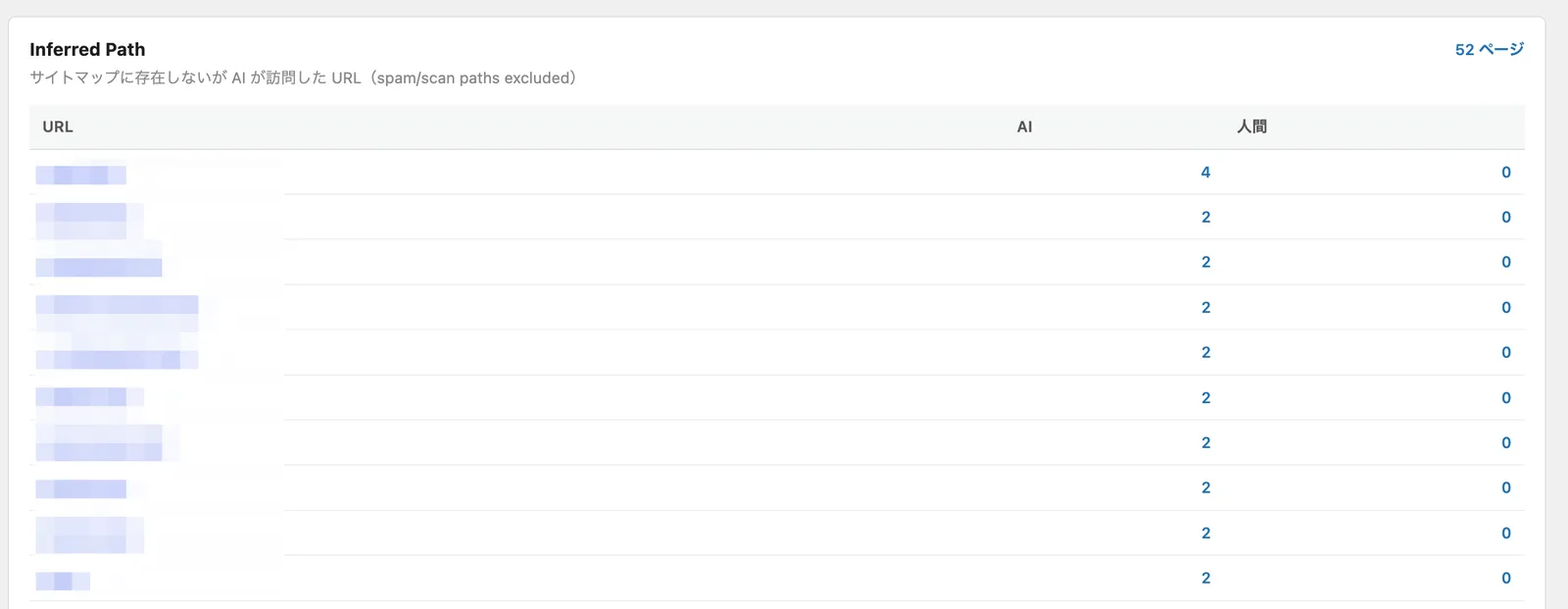
Inside the AHQG Matrix view, you’ll also find Inferred Path: URLs that AI bots requested even though they aren’t in your sitemap.
A few reasons this happens:
- The AI is requesting a URL that used to exist
- The URL never existed on the site
- It’s a variant or stray path with no real content behind it
- The AI is reading a page your sitemap simply doesn’t list
Inferred Path tells you what URLs AI is guessing at or referencing. Junk URLs are candidates for cleanup; legitimate ones are candidates for your sitemap or internal linking. Sometimes it’s neither — the AI assumed your site would have a particular article and constructed a plausible path for it, worth noting as a signal of unmet demand.
Dark Pages
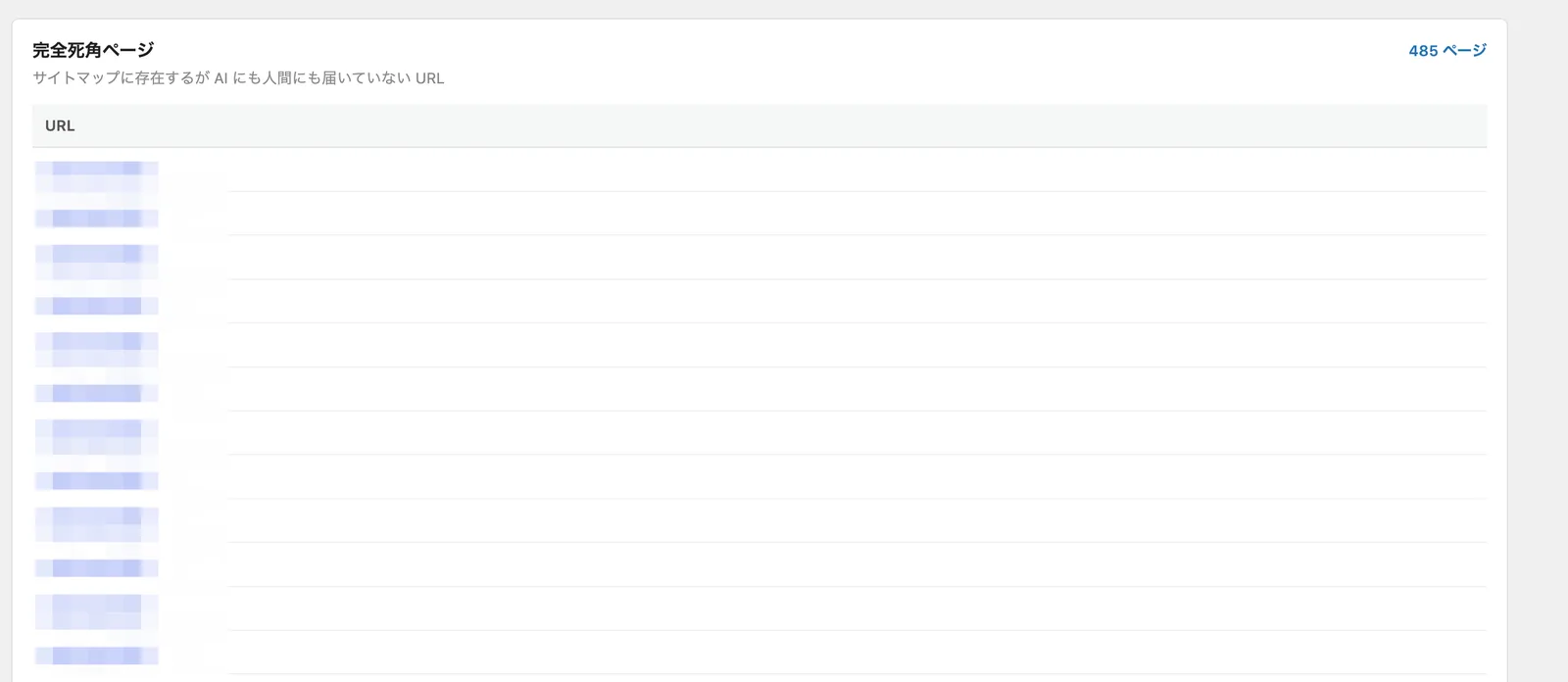
Dark Pages are pages that exist in your sitemap but are reached by neither AI nor humans — pages that are live on your site, and effectively read by no one.
If an important page shows up here, that’s a linking or discoverability problem worth fixing. If it’s mostly low-value pages, that’s a signal to consolidate, delete, or noindex.
In the AI era, watching “pages nobody reaches” matters as much as watching “pages that get read.”
Settings
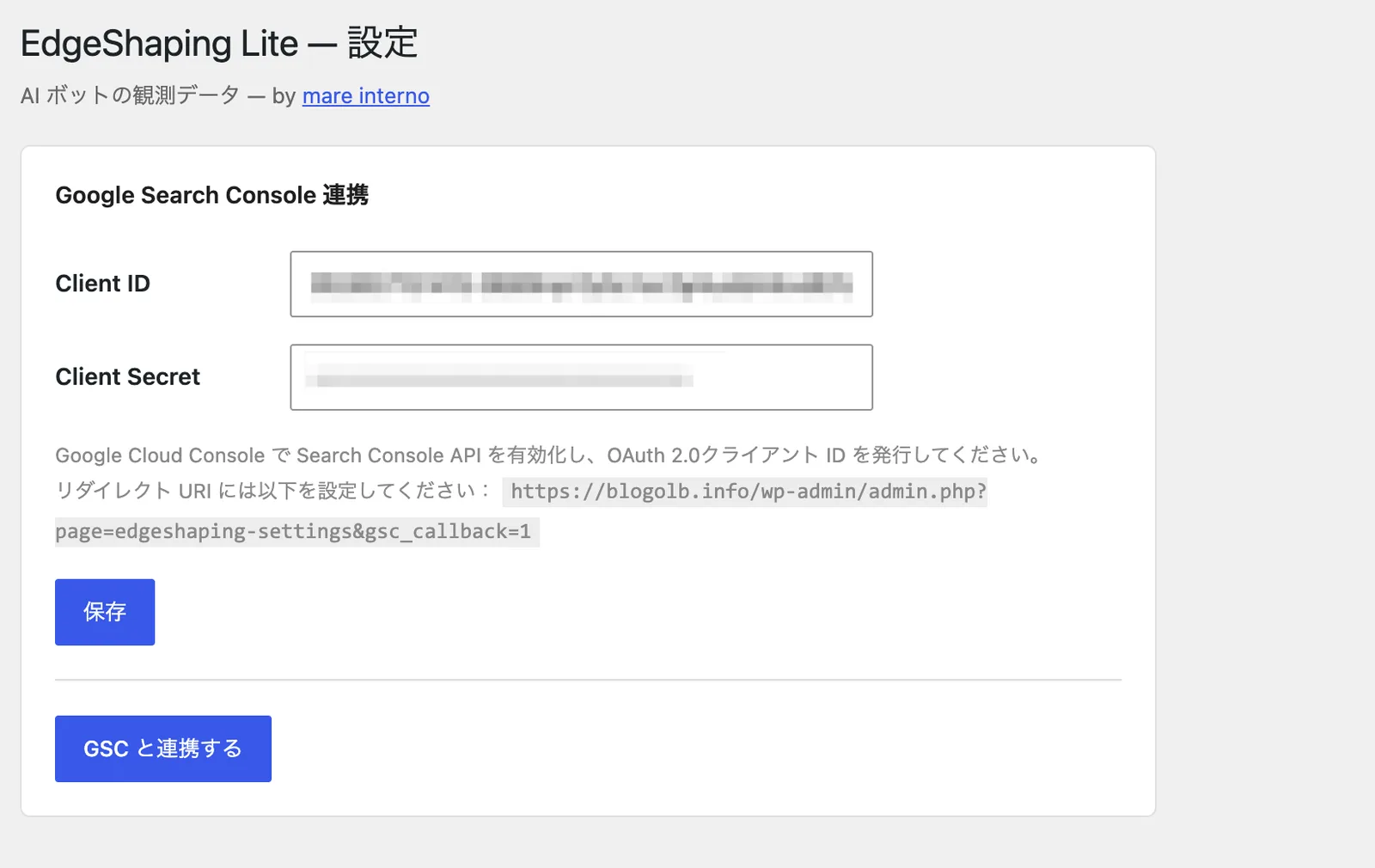
The Settings screen is where you connect Google Search Console. Connecting it unlocks click data for the AHQG Matrix.
AHTG works without GSC. Connect it only if you want to compare Google Search clicks against AI bot visits specifically. The connection to the Google Search Console API only happens when an administrator connects it manually.
What EdgeShaping Lite doesn’t do
EdgeShaping Lite is an observation plugin. It does not:
- Block AI bots
- Rewrite your site’s content
- Guarantee you’ll be cited by AI
- Guarantee an increase in AI-driven traffic
- Send visitor data anywhere external
Everything it records stays inside your WordPress database. It’s not an automated AI-optimization tool — it’s a tool for finding out which pages AI is actually reading, first.
Performance impact
EdgeShaping Lite writes a lightweight database record for each request identified as an AI bot, plus a lightweight human pageview record for the AHTG Matrix.
It doesn’t log detailed user behavior at the volume a full analytics tool would. Human pageview tracking for AHTG excludes logged-in users and known common bots, and aggregates at the page level for published posts and pages.
Data retention
EdgeShaping Lite caps both retention period and stored row count. The latest version raised the rolling row limit to 20,000. Once that cap is hit, the oldest records are dropped automatically.
If your site gets a lot of AI bot traffic, export to CSV periodically to keep a longer record.
A note on caching
EdgeShaping Lite observes AI bot traffic at the WordPress PHP layer. If a CDN like Cloudflare or CloudFront serves a cached response before the request reaches WordPress, that visit won’t get logged on the plugin side.
Full-page caching plugins on the WordPress side — WP Rocket, W3 Total Cache, WP Super Cache, LiteSpeed — are a separate matter, and compatibility with those has been improving in recent versions.
If you need visibility into requests that a CDN fully intercepts, that requires CDN-layer observation rather than a WordPress plugin. (A CDN edition is available on request.)
Who it’s for
EdgeShaping Lite is a good fit if you:
- Want to know whether AI bots are visiting your site at all
- Want to see which pages AI is actually reading
- Want to compare human pageviews against AI bot visits
- Want to compare Google Search clicks against AI bot visits
- Need input for content decisions in the AI-search era
- Want to start observing AI bots for free
It’s especially useful for blogs, owned media sites, B2B sites, and any site publishing specialized content where knowing how AI reads you carries real weight.
Where to look first
Once it’s installed, this order works well:
- Dashboard — confirm AI bots are visiting at all
- Top 20 pages read by AI — see what they’re reading
- Access Log — check the actual visit history
- AHTG Matrix — see where AI and human pageviews diverge
- AHQG Matrix (after connecting GSC) — see where AI and Google Search clicks diverge
- Inferred Path and Dark Pages — find structural gaps and unreached pages
You don’t need to analyze everything on day one. Confirming whether AI is visiting, which pages it’s reading, and where that diverges from human behavior is already a useful start.
An observation tool for the AI era
As AI search and AI-generated answers spread, running a site well means tracking not just how humans see you, but how AI reads you. But optimizing for AI before you can see what’s actually happening isn’t a decision you can make yet.
EdgeShaping Lite isn’t a tool for generating more AI bot traffic. It doesn’t promise you’ll get cited.
What it does is answer three questions:
Is AI visiting? If so, which pages is it reading? And how does that differ from what humans are reading?
That’s the observation layer. For running a WordPress site in the AI era, EdgeShaping Lite is a straightforward first step.
Summary
EdgeShaping Lite makes AI bot activity on your WordPress site visible. It gives you:
- AI bot detection
- Bot name, URL, timestamp, and user-agent logging
- A dashboard overview of bot activity
- A ranking of pages AI reads most
- A detailed, filterable access log
- CSV export
- The AHTG Matrix, comparing AI visits against human pageviews
- The AHQG Matrix, comparing AI visits against Google Search clicks
- Inferred Path detection
- Dark Pages detection
In the AI-search era, rankings and pageviews aren’t the whole picture anymore. Knowing what AI is actually reading matters too — and EdgeShaping Lite is a free way to start finding out.