You’ve probably noticed people saying search doesn’t get clicked the way it used to. The usual explanation: AI now answers the question directly in the search results, so people read the answer and never visit the site.
But there’s a step before that answer exists. For an AI to answer, it has to read something first — which means, somewhere upstream, an AI already visited your site and read the page. Check GA4, though, and none of that shows up. It’s supposed to be happening, and you can’t confirm it.
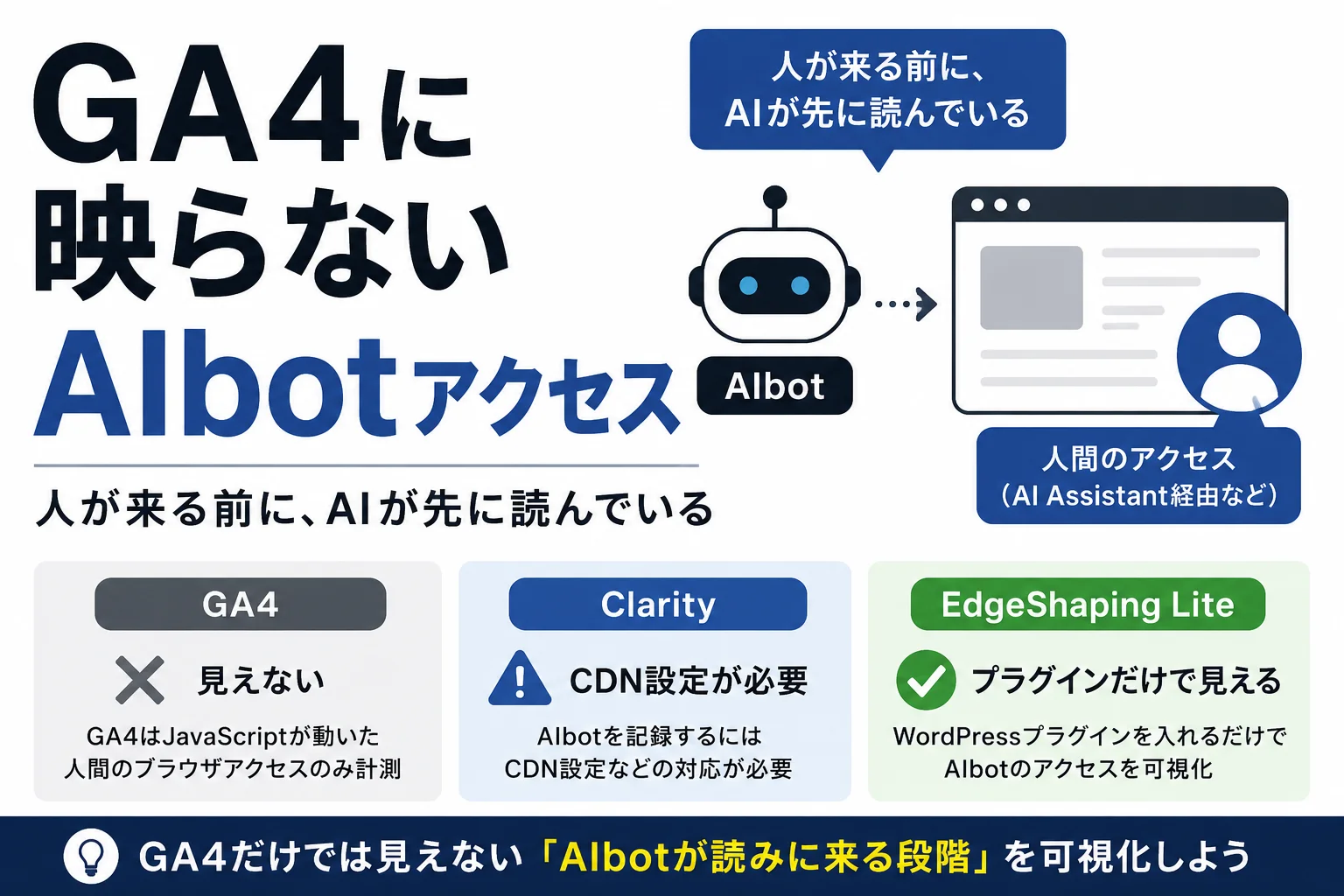
The traffic GA4 was never built to see
Making that invisible layer visible is what we mean by “AI bot visibility” — seeing when ChatGPT, Perplexity, Google Gemini and similar systems visit your site and read it, the same way a human visitor would, except as a bot.
The reason it’s invisible comes down to how GA4 works. GA4 tracks visits with a small JavaScript snippet embedded in the page: a person opens the page, the script runs, and a “someone was here” event gets sent. That works fine for a human on a browser.
AI bots don’t open a browser. They fetch the raw page content and leave — no script execution, no event, nothing sent to GA4. So it isn’t that AI bot traffic is too small to register. GA4 is structurally incapable of capturing it, regardless of volume. No setting changes that.
It’s not a rounding error — it’s 9x
You might reasonably ask: if it’s invisible, does it matter?
Two reasons it does.
The volume isn’t trivial. When we measured our own site, AI bot visits ran at roughly 9x the traffic GA4 reported — nine times more requests happening behind the number on your screen. The exact ratio will vary by site, but “AI bots barely show up” is no longer a safe assumption for any site.
The order of the reader’s journey has changed. It used to be: a person searches, visits your site, and reads it. Increasingly, it’s: an AI visits your site first, reads it, and then summarizes or answers on a person’s behalf. AI is reading your site before most humans do — a step in the funnel that didn’t exist a few years ago.
Miss that step, and you’re left judging performance purely on GA4’s human numbers — “traffic’s flat,” “traffic’s down” — while missing that AI is already reading you and drawing conclusions you can’t see.
Don’t confuse this with GA4’s “AI Assistant” referrals
One mix-up is worth heading off. GA4 does have a referral source labeled “AI Assistant,” and it’s easy to assume that already covers AI traffic.
It doesn’t. That source tracks humans clicking a link inside an AI’s answer — someone reading a ChatGPT response, clicking through, and landing on your site in a real browser.
AI bot visibility is about something upstream of that: the AI itself, as a bot, fetching your page — before any human clicks anything. Keeping these two apart is the first thing to get right.
How to actually see it
So the question becomes: how do you actually check? It isn’t quite true that there’s no way at all — a few options exist. What’s been missing is a way to do it easily.
GA4 — no path at all. As covered above, GA4’s JavaScript-based tracking structurally can’t see this layer. No configuration changes that.
Microsoft Clarity — possible, but only after setup. Clarity, a free analytics tool, has an “AI Visibility” tab (currently beta) with bot-activity data. It requires a CDN integration, though — if you’re not already running one, this path isn’t available to you, and CDN setup isn’t trivial for most site owners.
EdgeShaping Lite — a plugin, and that’s it. EdgeShaping Lite is a WordPress plugin that surfaces this GA4-invisible layer directly — no CDN, no external integration required. Activate it, and you can see which AI is visiting, and how often.
| Method | Sees AI bots? | Setup required |
|---|---|---|
| GA4 | No | — |
| Microsoft Clarity | Yes | CDN contract + integration |
| EdgeShaping Lite | Yes | Install a plugin |
Knowing how AI reads your site — which AI, and how — is only going to matter more. Start by acknowledging this layer exists outside GA4, then pick the path that’s actually easy to act on.